




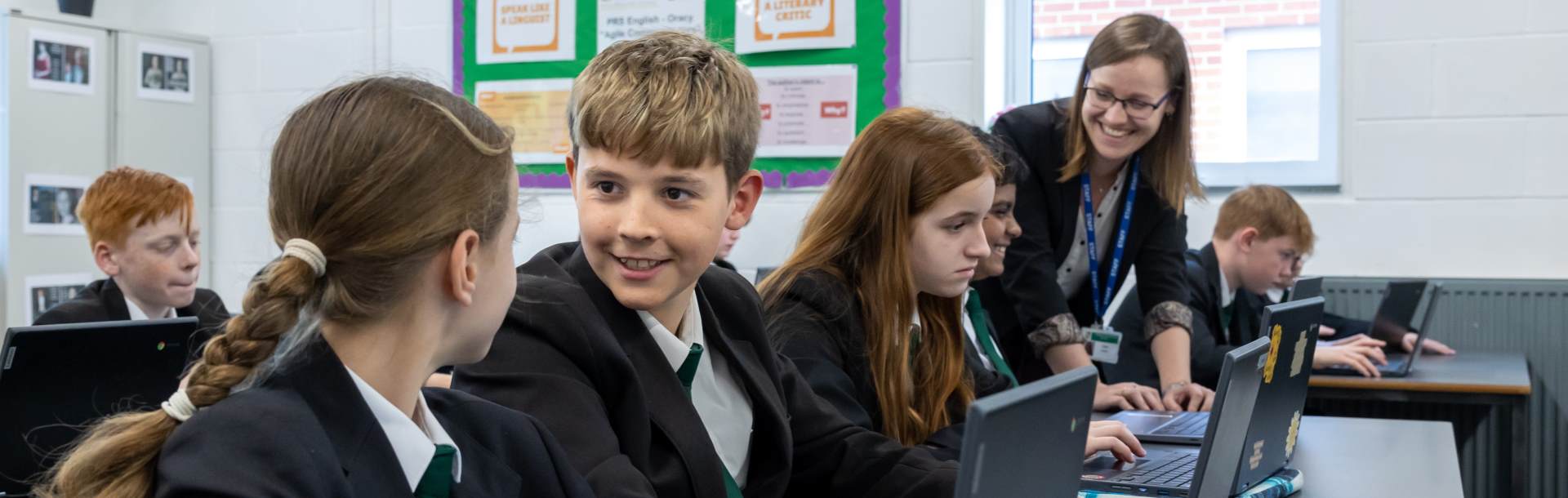
Chromebooks for Learning Programme: Frequently Asked Questions
Section 1: The Rationale (Why are we doing this?)
Q: Will my child be staring at a screen all day?
A: Absolutely not. We operate a “Blended Learning” model. The Chromebook is a tool to support learning, not replace it. Students will still use pen and paper, engage in group discussions, and do practical work. Teachers will use the devices only when they add specific value to the lesson (e.g., for research, collaboration, or personalised quizzes).
Q: Why have you chosen Chromebooks instead of Windows laptops or iPads?
A: We selected Chromebooks (specifically the Lenovo 300e) for three main reasons:
- Speed: They boot up in under 8 seconds, meaning no lesson time is wasted.
- Battery: They last the entire school day on a single charge.
- Durability: They are ruggedised for school use. Tablets (like iPads) often lack a physical keyboard which is essential for typing longer assignments, and Windows laptops are often more expensive and susceptible to viruses.
Q: My child already has a computer at home. Why do they need one for school?
A: Having a dedicated 1:1 device ensures continuity between school and home. It allows your child to access classwork, saved documents, and teacher feedback instantly, anywhere. It also ensures they are using a safe, filtered, and distraction-free device for their education, rather than a shared family computer.
Section 2: Purchasing & Costs
Q: What is the most affordable way to get a device?
A: Most parents choose the School Purchase Scheme (via edde) paying monthly. This spreads the cost and includes insurance and warranty. Alternatively, if your child is eligible for Pupil Premium, the school will provide a device free of charge.
Q: Can I buy a Chromebook from a high street shop (e.g., Currys/Amazon)?
A: Yes, this is the BYOD (Bring Your Own Device) option. However, please note:
- You must pay a one-off non-refundable fee of £50 to license the device on our system.
- You are responsible for your own insurance and repairs.
- The device must meet our minimum battery and performance specs.
Q: Why do I have to pay a £50 fee for BYOD or ChromeFlex?
A: This is not an “admin fee”. It purchases a Google Education Management Licence. This licence is mandatory as it allows us to connect the device to the school's secure Wi-Fi, push out required apps, and install the filtering software that keeps your child safe.
Q: What happens if I can’t afford the payments?
A: We have a Welfare Fund to support families, particularly those purchasing a second device for a sibling. Please contact the school finance office in confidence to discuss how we can help.
Section 3: Safety & Management
Q: Is the internet filtered at home?
A: Yes. The school’s web filtering of your child’s Chromebook is active 24/7. If a student tries to access a blocked site (e.g., gambling or adult content) at home, it will still be blocked.
Q: Does the school watch what my child does in the evenings?
A: It is important to distinguish between Filtering (blocking sites) and Monitoring (staff looking at alerts).
- Filtering: is always on.
- Active Human Monitoring: Staff only review alerts during school hours (8am–5pm, term time only).
Outside of school hours, digital supervision is the responsibility of the parent/carer.
Q: Who owns the data?
A: The school (Insignis Academy Trust) owns the data, not Google. Our systems are fully GDPR compliant, and data is used solely for educational purposes. We do not sell data to third parties.
Section 4: Repairs, Insurance & Warranty
Q: What happens if the Chromebook gets broken?
A: The process depends on how you bought the device:
- Monthly Scheme: You are fully covered. Contact edde to log the claim, then drop the device at the School IT team. We will fix it and provide a loan device.
- Outright Purchase (School Scheme): If you added the optional insurance, follow the steps above. If you bought “Device Only”, you must pay for accidental damage repairs yourself.
- BYOD/Privately Purchased: The school cannot repair these. You must arrange your own repairs.
Q: What happens if I need to replace the Chromebook outside of the warranty and insurance period?
A: If you replace the Chromebook after the warranty and insurance period has ended, please be aware that the Google Education licence cannot be transferred to a new device unless the new device is the same make and model. Any new device will require a new non-refundable licence which costs £30.
Q: Is “Loss” covered by the insurance?
A: Generally, no. The insurance covers Theft (with evidence of force or a break-in) but not Accidental Loss (e.g., leaving it on the bus). Check whether your home insurance policy covers items away from the home.
Q: How long is the warranty?
A: The manufacturer’s warranty is 12 months. This covers mechanical faults (like a battery failure). If you are on the monthly scheme (or bought the insurance add-on), you have 3 years of cover for accidental damage.
Q: My child’s device has been lost or broken beyond repair, but the purchasing portal is currently closed. How can I get a replacement immediately?
A: We understand that accidents happen outside of our standard purchasing windows. If you need a replacement device immediately and the portal is closed, please contact chromebooks@insignis.org.uk directly for further advice and guidance.
Section 5: Daily Practicalities
Q: Can my child charge their device at school?
A: No. There are no charging facilities in classrooms. Students must charge their device overnight. A fully charged Chromebook will last the whole school day.
Q: What if they forget their device?
A: We expect students to be ready to learn, and repeated failure to bring their Chromebook will result in behaviour sanctions.
Q: Do we need Wi-Fi at home?
A: While Wi-Fi is helpful, the Chromebooks have a robust "Offline Mode." Students can write essays (Google Docs) or create presentations (Google Slides) without the internet. The work will automatically save and sync the next time they connect to the school Wi-Fi.
Q: Can my child bring a personal laptop to use offline (or via a mobile hotspot) to avoid the £50 license fee?
A: No. For safeguarding and network security reasons, all devices used on school premises must be enrolled on our Google Education domain. The use of personal mobile hotspots (tethering) is strictly prohibited as it bypasses our internet filtering and safeguarding software. Teachers rely on students being able to submit work and collaborate in real-time. An offline device does not meet the educational requirements of the lesson. Any device found being used without the correct management license will be removed from the classroom.
Q: Can I use an old Windows laptop I have at home?
A: Yes, via the ChromeFlex scheme. We can wipe the laptop and install the Chrome operating system.
Cost: £50 non-refundable licence fee.
Warning: This requires a Factory Reset. All files/photos on the laptop will be deleted forever, so please back them up first!